




From the brand


Dedicated to the mission of “Create a Better World with AI”, iFLYTEK, established in 1999, is a visionary leader in the office, education, and productivity. We offer innovative Al products, including AINOTE 2, AINOTE Air 2, meticulously designed to combine intelligent office solutions with the writing experience. Our goal is to be your trusted partner in an intelligent and digital lifestyle, helping you capture inspiration and work efficiently.


Paper-Like Writing Experience (Frontlight-Free E-Ink Device):With 8 brush styles and low-latency handwriting performance, AINOTE 2 offers a writing feel similar to pen on paper. The frontlight-free E-ink display provides comfortable viewing under normal indoor and outdoor lighting. Note: Not intended for low-light or dark-room writing without external lighting.
Smart AI Assistance for Efficient Note-Taking (Requires Wi-Fi): AINOTE 2 includes AI-powered assistance that allows you to interact with selected text and access helpful suggestions for study, summarization, and organization. This feature supports a smoother workflow while keeping the writing experience simple and natural. Please note: This advanced AI feature may not be suitable for fully offline or confidential meetings.
16-Language Transcription Support:AINOTE 2 supports multi-language transcription designed for meetings, lectures, and interviews. This feature helps capture spoken content and convert it into text for easier review and organization. Requires an active internet connection for transcription services. Accuracy depends on audio quality, speaker accent, and environment. Designed to assist note review, not for word-for-word professional transcription.
Ultra-Thin & Portable Design: At approximately 4.2 mm in thickness, AINOTE 2 is designed for lightweight portability. Its streamlined structure makes it easy to carry for daily work, travel, or study, while supporting extended use under typical operating conditions. The device offers up to 14 days of usage time when used for about 30 minutes per day with the remaining time in standby or powered off, and up to 113 days of standby time. Important: The device is not designed for use in extreme temperatures or harsh environmental conditions, which may affect performance or battery life.
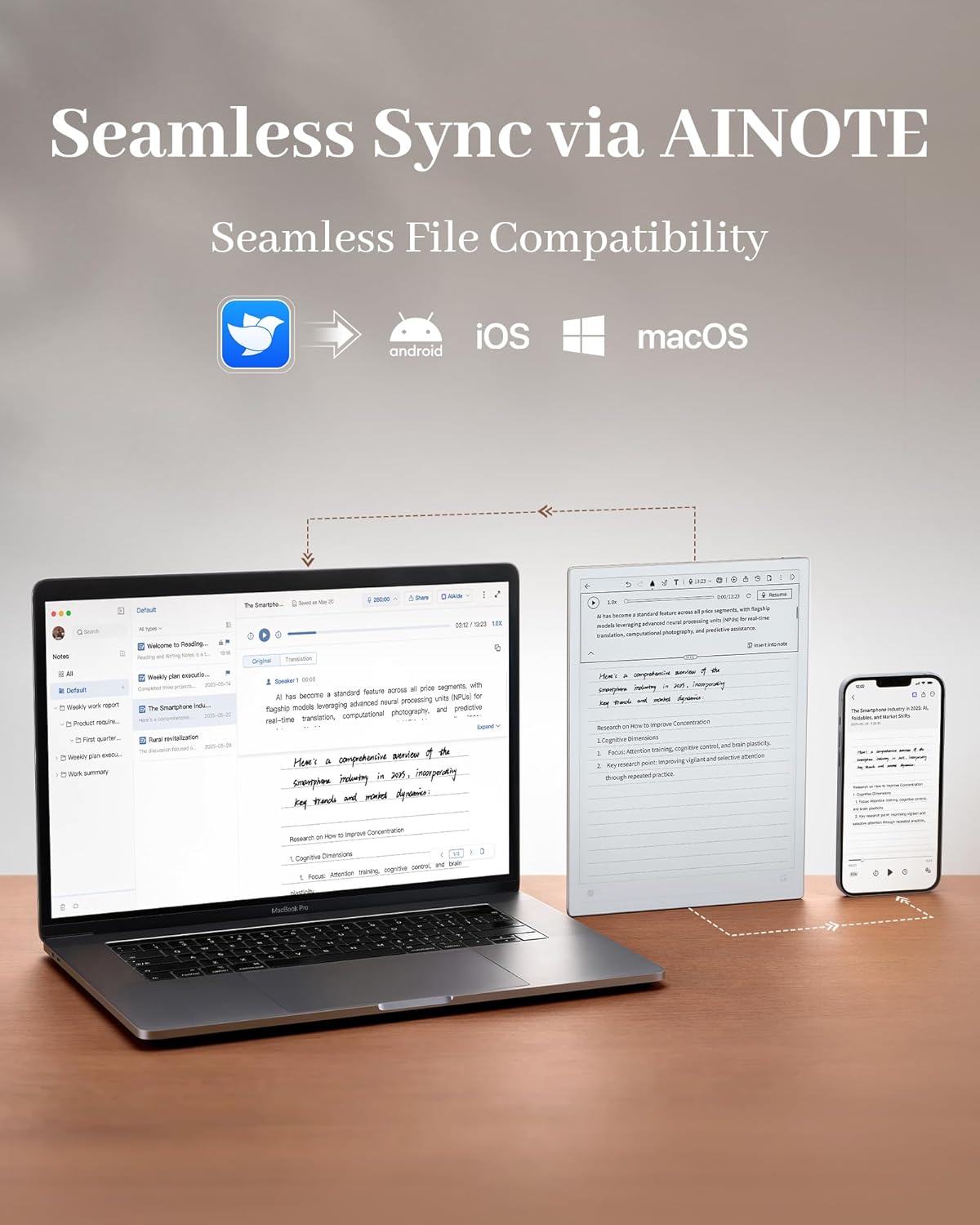
Schedule & Note Management: Manage schedules via supported calendar services, including Google Calendar. Notes can be marked with stars, triangles, or circles for task tracking and synced across AINOTE Mobile and PC apps. This allows cross-device note access and organization. Note: AI features and schedule sync require internet; offline access is limited to basic note-taking.
Complete Package Inside the Box – The package includes the AINOTE 2 tablet, stylus pen, USB cable, and user manual—providing everything needed to start using your e-ink tablet right out of the box. Protective case is not included and sold separately.
Multi-Device Note Access Notes can be accessed on AINOTE Mobile and AINOTE PC apps, enabling cross-device viewing and editing. This helps maintain continuity whether you’re working on your tablet or desktop.
All-in-One Digital Notebook – AINOTE 2 combines handwriting, reading, transcription, and planning tools into one streamlined device. It centralizes your daily work and study tasks in a single digital notebook with pen setup.
Quick Start & Warranty – Quick-start instructions are included in the package for easy setup. AINOTE 2 provides a 1-year warranty along with standard Amazon return and exchange policies.


Cathy Steinruck –
Very light and premium
Absolutely thrilled with the iFlytek AINOTE 2! This device has completely transformed how I organize my work and studies. The 10.65″ E-Ink screen is incredibly easy on the eyes for long reading sessions, and the ultra-thin 4.2mm design makes it feel light and premium.The AI note-taking is the true star. The handwriting-to-text conversion is impressively accurate, turning my messy scrawls into clean digital notes. The integration of ChatGPT-5 is a game-changer for brainstorming and refining ideas directly on the page. Furthermore, the voice-to-text transcription is remarkably fast and supports multiple languages flawlessly, which is perfect for my international meetings and language learning.It’s the perfect fusion of a distract free digital notebook and a powerful AI assistant Highly recommended for any professional or student seeking smarter way to capture organize, and create!
HUA –
Perfect for daily notes taking
This tablet is perfect for taking notes for my studies, and especially when it comes to carrying it around iny bag. It’s thinner than an Ipad, I can toss it in my bag and it doesn’t take much space, and it feels more durable than it looks. The pen is also really smooth, and writing on the tablet feels natural, and almost like I’m writing on a physical notebook. 10/10 Would recommend.
L S –
A Distraction-Free Way to Capture Notes
The iFlytek Ainote has been a very useful tool for me. It is a dedicated note-taking device, so there are no extra apps or distractions. I open it, write, and stay focused. It feels thin and light, which makes it easy to carry around.The AI note-taking works well, and the reading mode is helpful when I want to look over material. My notes sync to the cloud so I can access them anywhere, and I can lock the device to keep everything private. There is a bit of lag at times, but that makes sense since it is a note taker and not a full tablet.The only downside is that you need a paid cloud account for continued storage. I wish there was a free option. Still, for organized, distraction-free note-taking, it does the job very well.
Tsz ying leung –
Helps Me Focus and Improve Efficiency in Class
As a student, my smartphone and tablet were constant sources of distraction in lectures—notifications, messages, the urge to multitask. The AINOTE 2 has changed that. The writing experience is unbelievably smooth and natural; it truly feels like I’m writing on paper with zero lag, so I can keep up with fast-paced lectures without my hand cramping or the tech getting in the way. The E-Ink screen doesn’t strain my eyes, and with no glare or pop-up notifications, I stay locked on the professor, not my device.It’s not just about writing, though. If I miss something or need to review a complex concept later, I can quickly circle my handwritten notes and get an instant explanation from the built-in ChatGPT. This has saved me so much time when studying. Plus, it’s so thin and light that carrying it all day is no problem. For any student who wants to ditch the distractions and actually absorb what they’re learning, this is the perfect tool.
Lu Sal –
great concept but tech still needs some work
I did not realize that this model didn’t have the camera or the display adjustment. This model was suppose to help with eye strain but in reality I felt like it wasn’t sharp enough and hurt my eyes more attempting to focus on what I was looking at. There was no way to sharpen the font and “best display” didn’t really make a difference to me. I liked the concept of this device but it just wasn’t what I needed. Every time I tried to add an email I got blocked by a permissions issue. I needed to add multiple calendars and it only gave me the option to add one via gmail. The pen functionality only worked well within the stock notes app. If I was using the stylus to search for something in the app Store though it wouldn’t read my letters correctly or it would add extra spaces between letters so it forced me to use the keyboard m because the stylus accuracy was terrible outside of the notes app. Within the notes app the stylus was amazing just didn’t function well with third party apps. I wanted a note taker and ereader that allowed me to download books from hoopla and so far this is the only E-Ink note taker that I found that has the android App Store capability. So I did love that feature but I wanted to be able to do a split screen function between the ebook I was reading on hoopla and the notes app so that I can take notes as I read simultaneously. Unfortunately it didn’t work, so Instead I had to swipe up to access the multi task function which only gives you the ability to flip back and forth between the apps. I had saw a review that there was a split screen function but maybe it’s also only available on the air 2. I ended up returning it after 4 days. Maybe I’ll try again with the air 2 once they finish processing my return. Again, I do like the concept but it just felt like it had very limited functionality for the things that I truly needed so I wasn’t able to justify keep it at that price. Also, I don’t understand why it displays your signature in the middle of the wallpaper when the device is locked. Little things like that seem minimal but it bothered me to not be able to disable that feature.
BW –
Disappointing. Needs some major software updates.
Disappointing. This really needs major software updates and is missing some basic features.For example, when you create a task in a handwritten note, the summary recognizes it correctly and converts it to text. But when you open the task list, that same text is turned into nonsense. And the tasks aren’t even linked back to the original note. You have to manually connect them, which defeats the purpose.It’s also very sensitive to palm contact while writing. It constantly zooms or scrolls by accident, and there doesn’t seem to be a way to lock it and it is a pain to get it back to 100% and centered.The only nice feature is the audio recording with AI notes summary, but you don’t need a $600 tablet for that.